A better way to launch Roblox
Vantage starts Roblox with your FPS cap, the FastFlags that still work, your fonts and cursors, and Windows tuned for games. Then it stays out of the way while you play.
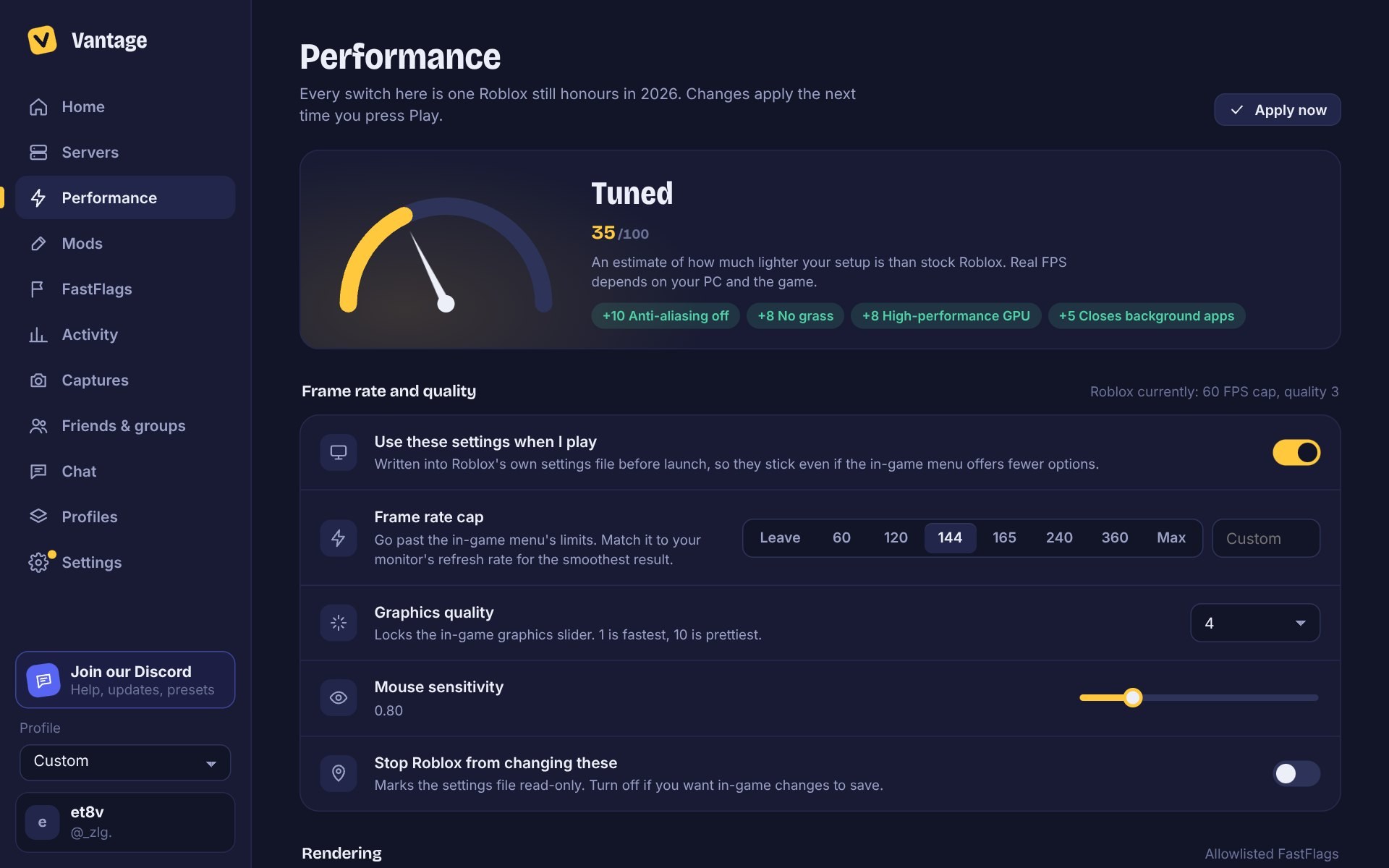
Everything set before the game opens
Pick your settings once. Vantage applies them every time you press Play.
Performance
FPS cap, graphics level and Windows boosts like the high-performance GPU and power plan.
FastFlags
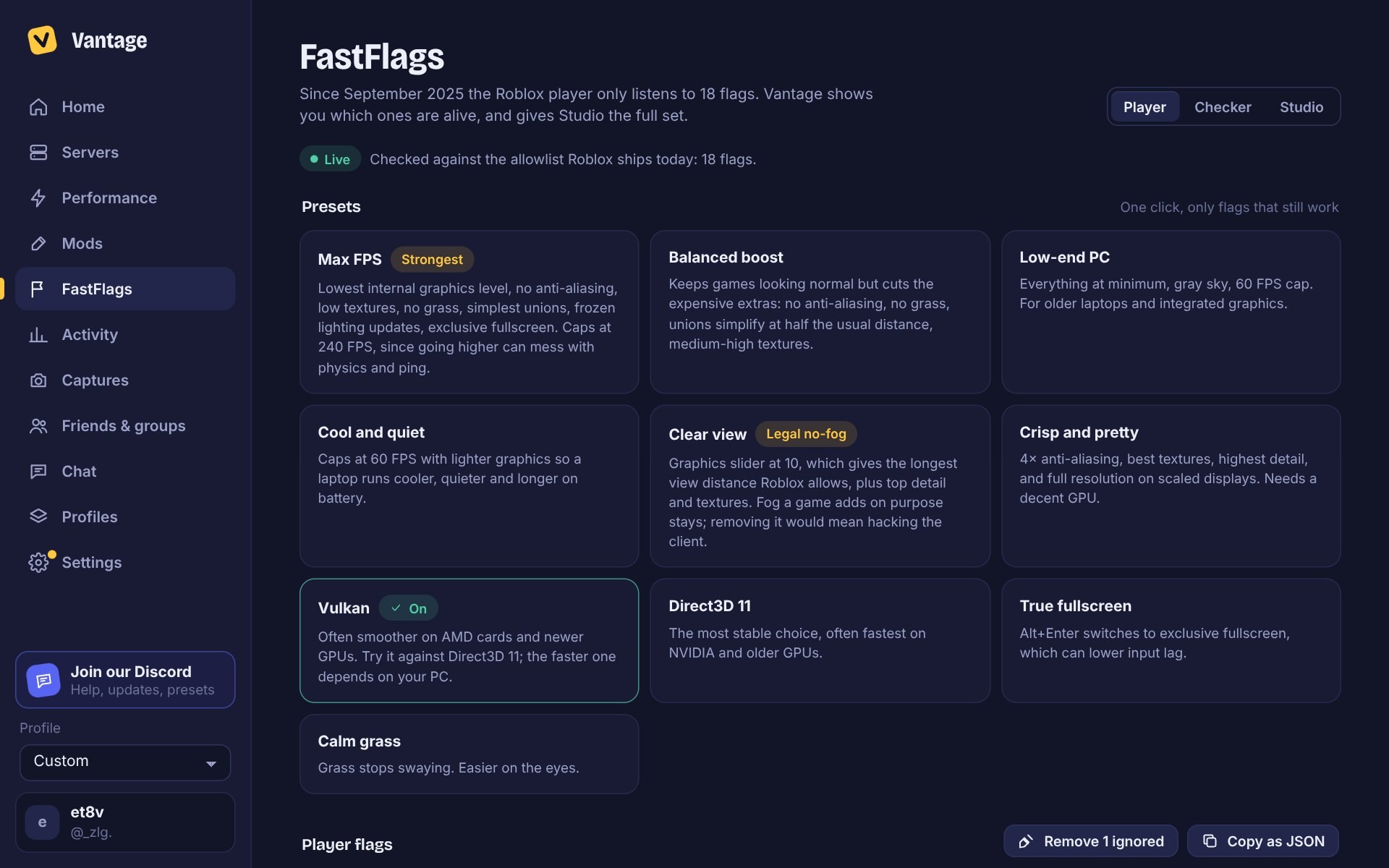
Presets that still work, and a checker that shows which flags in any list Roblox still reads.
Mods
Fonts, cursors, and swapped textures or sounds. Turn one off and the original comes back.
Server picker
Join the emptiest, fullest or closest server, or rejoin your last one.
Activity
Play time per game, streaks and server regions, kept on your PC.
Profiles and versions
Save whole setups, and keep older Roblox builds to roll back if an update breaks something.
Take a look
How it works
Roblox stays Roblox
Vantage downloads Roblox from Roblox's own servers into its own folder and starts it like the normal launcher does. Your usual install isn't touched.
Settings, not hacks
It writes the settings Roblox reads when it starts: your FPS cap, graphics, the FastFlags Roblox allows, fonts and cursors. Everything can be switched back.
You choose when to update
New versions come from this site, signed so Vantage can tell they're real. Update when it suits you, or go back to any listed version in Settings.
Release notes
Newest first. Test versions are marked.
Loading…
FAQ
Is it allowed?
Vantage works like Bloxstrap. It only changes settings Roblox reads when it starts and uses the FastFlags Roblox still allows; it doesn't touch the running game. The optional game macros work like any hotkey app, from outside the game, but each game has its own rules, so check them before you turn macros on.
Do I need an account?
No. Continue as guest gets you the launcher, performance settings, FastFlags and most mods. A free Discord or Google sign-in unlocks Servers, Captures, Friends and groups, Profiles and recap cards. Chat needs Discord.
Does it work with my normal Roblox?
Yes. Vantage keeps its own copy of Roblox and leaves your normal install alone. You can hand the Play buttons on roblox.com back to Roblox any time.
Windows says it doesn't recognize the app
That's SmartScreen. It shows for new versions of apps that haven't been downloaded by many people yet. Choose More info to see the app name and continue.
What if an update breaks something?
For Vantage, go to Settings, then Vantage updates, and pick an older version. For Roblox, Settings, then Roblox versions keeps older builds so you can roll back in seconds.
Which FastFlags work now?
Since September 2025 Roblox only reads a short list of flags in the game, about 18. Vantage syncs that list from Roblox every time it starts and shows which flags are live. Studio has no limit.
How do I uninstall it?
Settings, then Uninstall, or Windows Settings, then Apps, then Vantage. It removes its Roblox copy, settings and shortcuts, and hands the Play buttons back to Roblox.
Who makes Vantage?
et8v (_zlg. on Discord). Vantage isn't affiliated with or endorsed by Roblox Corporation. Questions and bug reports go in the Discord.